

Streaming music has become part of our lives, and we are relying on platforms like Spotify, Apple Music, Amazon Music, etc. to enjoy our favorite songs whenever we want. However, the inconvenience of streaming these music resources is also obvious – you can not enjoy your favorite music when you lose the internet.
Therefore, you may wonder how to download music to computer as local files for flexible playback and transfer. In this blog, we has tested and collected the 8 best software and sites that can bring you help. Now, keep reading and grasp them to try!

4 Best MP3 Downloaders for Streaming Services
To save streaming music offline, the most mainstream solutions today can be using a reliable streaming music downloader. Here, those of high reputation and secure, reliable downloading function are recommended. Get them to download music from all streaming sites as MP3 local files offline immediately.
Top 1. MuConvert All-in-One Music Converter
Verdict: Download streaming music from mainstream platforms in lossless quality at 35X faster speed
Ranked at the top 1 place of the list, MuConvert All-in-One Music Converter stands out to be the most powerful music downloading software, delivering professional and effortless help to save streaming music in mainstream formats like MP3 offline. It directly integrates several popular platforms like Spotify, Apple Music, YouTube Music, Amazon Music, Pandora Music, and Deezer, enabling you to access the official web players and download your favorite songs, albums, and playlists offline with one click.
MuConvert also empowers advanced music resolving and decoding ability, with lossless quality preserved, bringing uncompressed output audio files for an enjoyable offline playback experience. The efficiency of MuConvert All-in-One Music Converter is also a highlight – it can batch download music playlists at 35X or even much faster speed to save you time! Hence, if you are considering an efficient and quality-lossless way to download music to computers, this software can definitely be the best option.
 100% Secure 100% Secure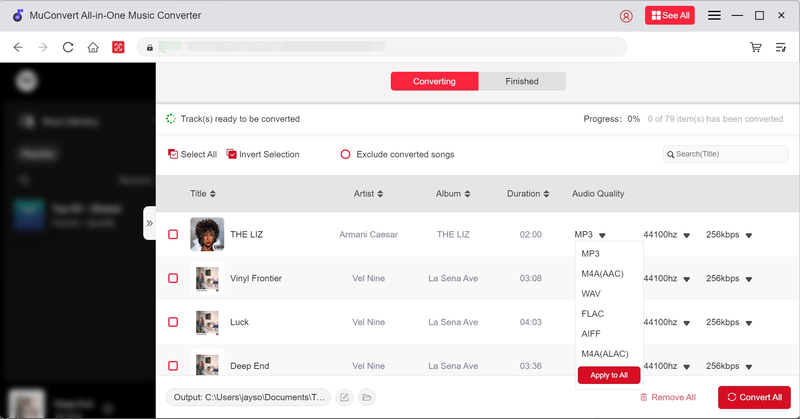
| ✔ Pros | ✘ Cons |
|
|
Top 2. TuneFab Online Downloader
Verdict: Stable online downloader supporting downloading streaming music from Spotify, Apple Music, and YouTube Music to MP3 audio files offline without quality loss
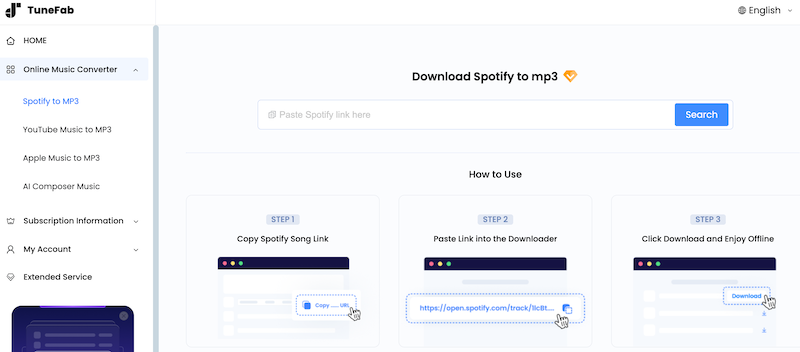
If you don’t want to install extra software to download MP3 music from streaming platforms, TuneFab Online Downloader can no doubt to be the best tool. It uses the traditional copy-and-paste method, allowing you to download streaming music from Spotify, Apple Music, and YouTube Music to MP3 offline. Its URL analysis speed can be really fast, and it is also compatible with playlist conversion and downloading at once. TuneFab Online Downloader will save all songs containing in one playlist to a ZIP file for quicker and easier download without wasting your time.
As for the output music quality, TuneFab Online Downloader uses advanced technologies to keep music downloads at a lossless condition. It offers two optional quality choices to select – 128Kbps and 320Kbps. Like downloading software, TuneFab Online Downloader can also save ID3 information for music downloads, so that the offline music management can also be simple and convenient.
| ✔ Pros | ✘ Cons |
|
|
Top 3. VideoHunter YouTube Downloader
Verdict: Designed for downloading songs/playlists/channels from YouTube in MP3 at up to 320kbps quality
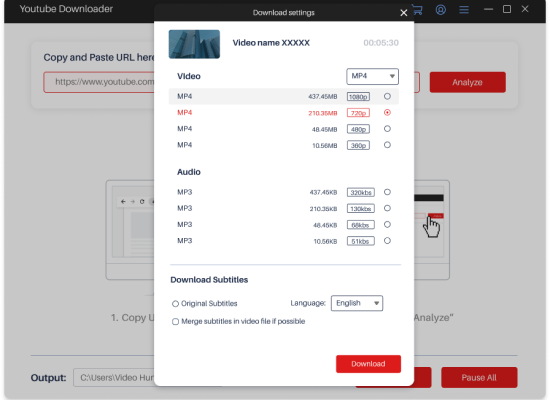
If YouTube is the most frequently used platform for you to discover music resources, then consider using VideoHunter YouTube Downloader to download music to computers. This powerful software is designed for the YouTube platform, with a powerful resolving ability to convert and download all YouTube content, including singles, playlists, channels, and even live streams or private videos offline in MP3 format at up to 320kbps audio quality without any error.
In addition, VideoHunter YouTube Downloader is also equipped with a built-in proxy setup, which can let you bypass regional limitations, in order to access and download videos released in all regions without limitations. With the software, you can freely download music to computers for keeping as collections or use them to edit videos in quite an effortless way!
| ✔ Pros | ✘ Cons |
|
|
Top 4. SCloud Downloader
Verdict: Convenient download music from SoundCloud online in lossless MP3 format only with URLs on all devices
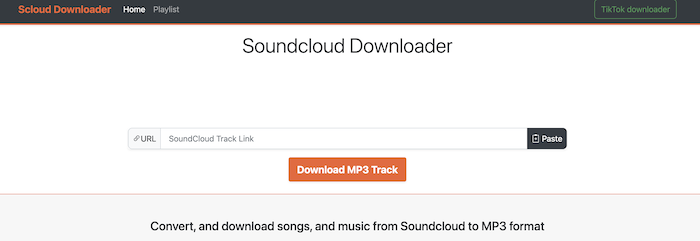
Designed for SoundCloud, SCloud Downloader also provides the most convenient service to let you download music to computers as well. You only need to prepare the URLs of the SoundCloud music you like, then paste them to this online tool and process the conversion. It will convert SoundCloud to MP3 for you and let you save the music offline.
More than on computers, SCloud Downloader can also be accessed on mobile devices like your phones and tablets, making it even much easier to keep your favorite music from SoundCloud offline in mainstream MP3 format.
| ✔ Pros | ✘ Cons |
|
|
4 Best Sites to Download Music to Computer
Instead of using a music downloader, there are also some free sites that can allow you to find music resources and save them offline. Also check if they can help now!
Top 5. MP3Juice
Verdict: Open-source online platform to download music to computer in MP3/MP4 format
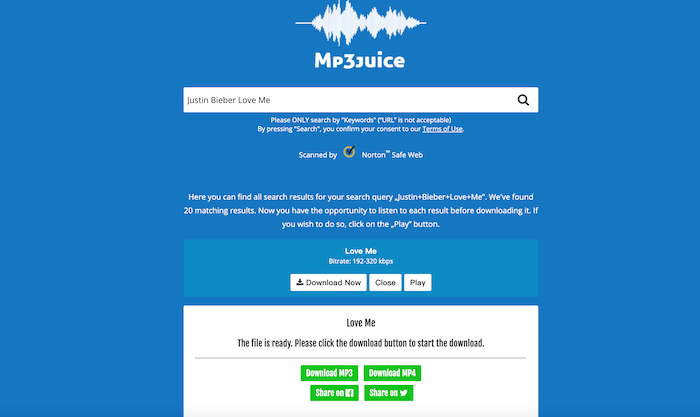
For those who don’t want to install a third-party program, MP3Juice can be an ideal option to help download streaming music to computers. This is an open-source online website, which lets you directly search for your favorite songs and then download them in MP3 format with only one click. Only by typing keywords, MP3Juice and get your wanted resources to let you save offline immediately, bringing great convenience.
MP3Juice ensures fast data searching and downloading speed, taking only seconds to complete the conversion, with the download options provided for you to save the music offline. However, the output quality can not be adjusted, and it is also lossy. Hence, MP3Juice is better suited for those who do not care much about the music quality but only want a quick way to download music to computer instantly.
| ✔ Pros | ✘ Cons |
|
|
Top 6. Pixabay
Verdict: Provide countless royalty-free music resources for personal editions like short videos, vlogs, film music, and so on
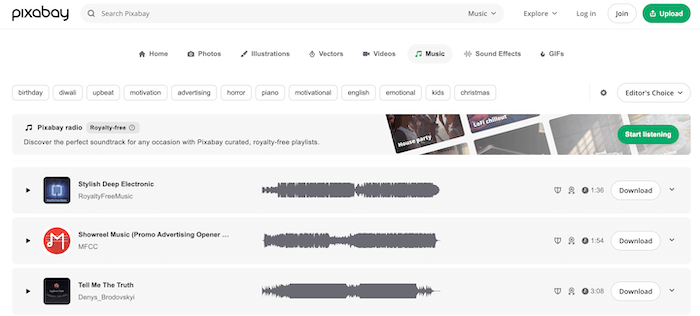
Pixabay is a platform on which users can freely share and download royalty-free music resources with the public. You can directly search for the music types you like, and discover resources to download music to computers with only one tap. As the platform provides all copyright-free tracks, you can use the downloads for any use, like creating videos, making them as background tracks, or for other editing purposes.
| ✔ Pros | ✘ Cons |
|
|
Top 7. Musopen
Verdict: Open-source platform to download royalty-free classical music in MP3 format
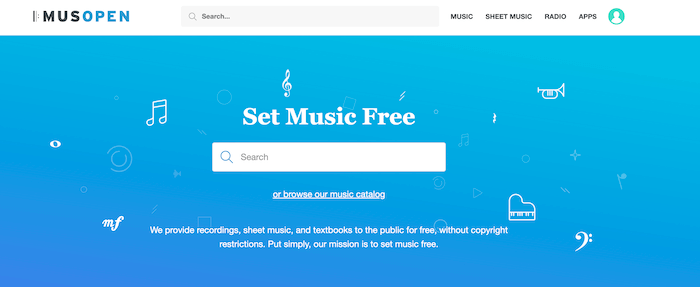
For classical music lovers, Musopen can definitely be the best place to download music to computers. The platform has collected lots of classic music resources, letting you access and directly download them offline in MP3 format. Musopen will maintain good quality while resolving the music download, letting you use it for further editing or other purposes in the best conditions. As all music resources provided on Musopen are copyright-free, it is even possible for you to use them for commercial purposes.
Musopen is also equipped with apps to play free streaming classical radio and discover resources for educational use. There is also free sheet music provided to view online or print out as files, making Musopen also a great website for music learners!
| ✔ Pros | ✘ Cons |
|
|
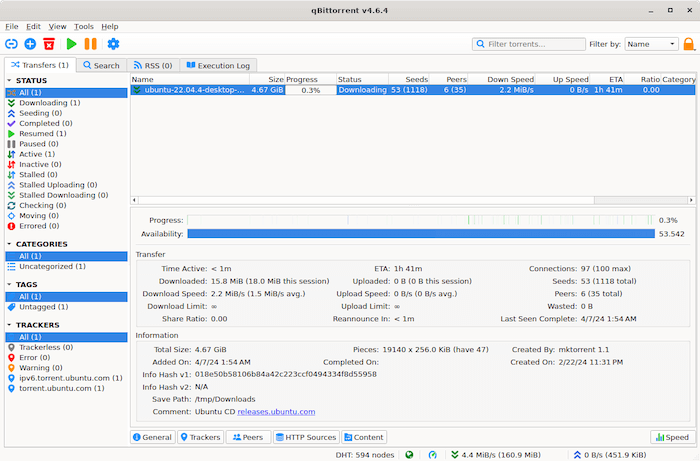
Top 8. qBittorrent
Verdict: Ad-free website to download music to computers in torrents at original quality
The final recommended site to download music to computers is qBittorrent. Unlike the above websites, this platform mainly offers torrent resources to let you download music resources offline more efficiently. With wide compatibility on all major device systems, such as Windows, Mac, Linux, FreeBSD, and OS/2, you can ensure the saved music can be played and used offline without worrying about incompatibility any more.
More than music, qBittorrent also provides more resources like audiobooks, ebooks, and even software. You can directly search for the items you need and access them to download instantly. Also, although it is an open-source platform, there are not any ads listed on the website. So you will have a good as well as secure experience searching for and downloading music resources on qBittorrent!
| ✔ Pros | ✘ Cons |
|
|
Comparison of the 8 Music Downloaders or Sites
After reviewing details about the 8 music downloaders and sites for saving your favorite music offline, here is a simple conclusion to let you check their key points, helping you to find out the best and most appropriate one for yourself to use:
| Downloader | Music Source | Downloaded Media | Output Format | Quality | Speed | Safety |
|---|---|---|---|---|---|---|
| TuneFab Online Downloader | Spotify, Apple Music, YouTube Music | Audio | MP3 | Lossless | Fast | High |
| VideoHunter YouTube Downloader | 1,000+ video streaming sites | Audio, video | MP3, MP4, WEBM | Lossless | Fast | High |
| SCloud Downloader | SoundCloud | Audio | MP3 | High | Fast | Medium |
| MP3Juice | Music on the Internet | Audio, video | MP3, MP4 | Medium | Medium | Medium |
| Pixabay | Its collected copyright-free music and videos | Audio, video | MP3, MP4 |
Medium | Medium | Medium |
| Musopen | Classic copyright-free music | Audio | MP3 | Medium | Medium | Medium |
| qBittorrent | Collected music and audiobooks | Audio | MP3 | Medium | Medium | High |
Conclusion
With the help of these 8 best sites and software, you can surely grasp your favorite resources and download music to computer without hassle. You can choose one based on your needs. If you are also looking for a place to save your favorite songs, don’t miss them and select your ideal tool to try!
Convert Music from Multiple Platforms to MP3 in One Click
Download Spotify/Apple Music/Amazon Music/YouTube Music/Pandora/Deezer/Audible to MP3 in one music converter for permanently offline playback.
More Posts
How to Convert Music Files to MP3 on Any Device Read More » 8 Best Music Downloaders or MP3 Download Sites for Computer Read More » How to Download MP3 Songs for Seamless Playback on Any Device Read More » 15 Best Spotify Downloaders in 2025 [Free/Online/App] Read More » 5 Ways to Download Spotify Songs to MP3 [New Updated] Read More »