

It is no doubt that extracting Spotify songs to local files in universally-supported MP3 format can lead to more convenient offline music storing, managing, streaming, and editing. Fortunately, when there are lots of Spotify to MP3 online converters available, this is no longer a troublesome task to fulfill.
However, selecting a reliable Spotify link to MP3 converter also needs to take several factors into consideration. In this review, we’ve compiled a list of the 8 best Spotify to MP3 online converters for better selection. Now, compare them and pick the best one to download Spotify in MP3 losslessly and conveniently!
Repeated tests have shown that most online and free Spotify to MP3 converters are full of ads and cannot download Spotify playlists and podcasts. For fast, easy, and safe conversion, MuConvert Spotify Music Converter, a desktop Spotify to MP3 converter, is recommended as a standby option, with the ability to convert Spotify to MP3 at lossless 320kbps with 100% secure as well as 35X faster batch downloading efficiency guaranteed. Try it for free now:
 100% Secure 100% Secure
What to Look for When Choosing Spotify to MP3 Online Converter
It is noted that most online Spotify to MP3 freeware doesn’t offer the same professional maintenance and customer support as desktop software, as many are created by individual developers. So why are so many users still looking for someone to download Spotify to MP3?
Compared with desktop software, online tools are easier to access, which can meet demands of more users such as those using mobile devices. So while selecting a reliable Spotify to MP3 online converter, you’d better evaluate it from more aspects but not limit to the download performance only. Based on your priority, the following 5 factors should also be considered:
Lossless Quality: The chosen Spotify to MP3 online converter should ideally output in the original quality of 320kbps. It would be even better if it allows bitrate and sample rate customization;
Ease of Use: The interface should be user-friendly and intuitive. Since it’s an online tool, it’s best if there are no full-screen or pop-up ads interruption;
Playlist Conversion: Online free Spotify to MP3 converters should be fast with a stable internet connection. Also, it’s advisable to choose one that supports playlist conversion to avoid repetitive music adding;
Metadata Preservation: Select a Spotify to MP3 online converter that can retain complete ID3 tag information for better offline retrieval and listening;
Stability and Security: Ensure the website runs smoothly to convert Spotify to MP3 online. Meanwhile, make sure the converter doesn’t bundle unwanted or malicious software;
The 5 points will help you avoid many pitfalls when choosing an online Spotify to MP3 converter. And the 6 best recommendations can be your good start. They meet these factors and will surprise you in practice. Just scroll down to explore!
1 SpotiDown.online – Free Spotify to MP3 Online Converter with 320kpbs
Supported OS: Windows, Mac, iOS, and Android
Price: Free
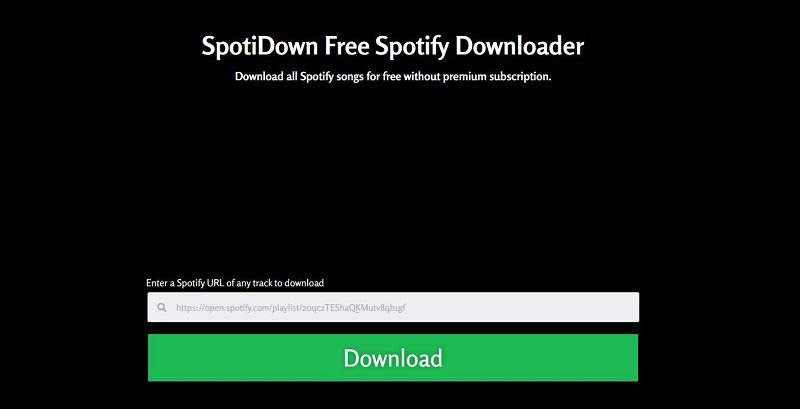
Among the best Spotify to MP3 converters, the first pick for you is SpotiDown.online as it prides itself as the best free Spotify converter for high quality. This is true. SpotiDown is capable of offering output bitrates up to 320kbps, preserving the original quality of Spotify music as much as possible. Therefore, this Spotify to MP3 online converter is a good option for you to enjoy Spotify music in high quality offline.
Another plus is that it can download Spotify playlists. If you have music collections to save, it can work as a Spotify playlist converter to download multiple songs in zip files with one click. Here is how it works.
Step 1. Go to the Spotify web player, find a Spotify playlist you like or your playlist, and copy its link.
Step 2. Open SpotiDown.online, and paste the Spotify playlist link to its address bar.
Step 3. Click “Download”, and SpotiDown will start downloading Spotify to MP3 in a Zip file and you will get batches of MP3 downloads at once.
| ✔ Pros | ✘ Cons |
|
|
2 Spotify-downloader – Best Spotify Playlist Downloader Online
Supported OS: Windows, Mac, iOS, and Android
Price: Free
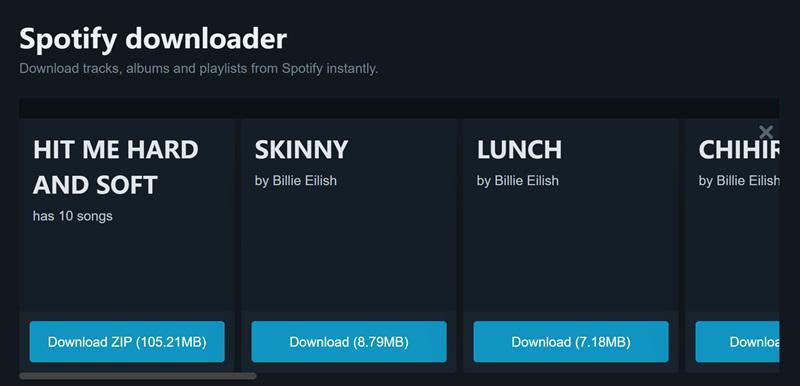
For those who want to download Spotify playlists to MP3, Spotify-downloader is also a nice try. Besides artists and podcasts, it can parse any singles and music collections. Moreover, all music is converted at the highest quality. Even better, this Spotify to MP3 online converter is very flexible. When you enter an album or playlist link, it offers two saving options: a ZIP file or individual downloads for each song. This Spotify playlist downloader gives you more freedom to create your offline music library. To know its operation, details are as follows.
Step 1. Copy a link to a track, playlist, or album from the Spotify app or its web player.
Step 2. Paste the link to Spotify-downloader’s search bar.
Step 3. Click “Download” and wait until parsing is done. Then you can download ZIP or the single.
| ✔ Pros | ✘ Cons |
|
|
3 SpotifyMate – Best Spotify Converter for MP3 Only
Supported OS: Windows, Mac, iOS, and Android
Price: Free
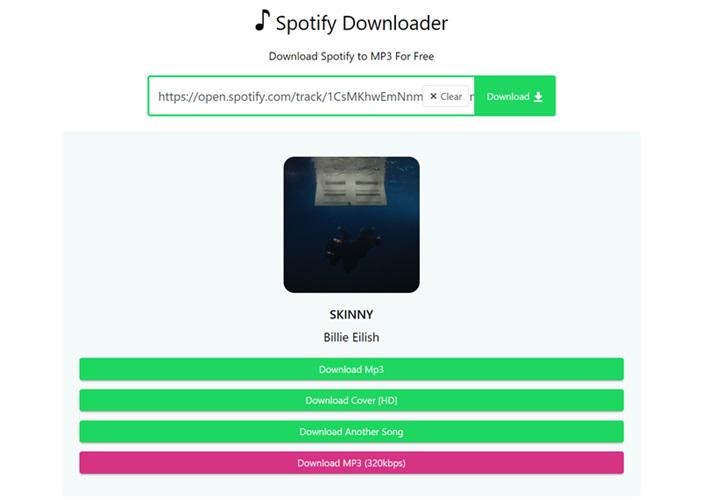
If you don’t want to hassle with various formats and just want to download Spotify to MP3, you should use SpotifyMate. It is an only MP3 converter that can parse and convert tracks, playlists, and albums with 320kpbs. Not only that, but when you convert links one by one, this free online Spotify MP3 converter retains basic metadata and offers the option to download HD music cover. For its specifics, refer to the steps below and try.
SpotifyMate doesn’t work for podcasts on Spotify. If you’re a big fan of that content, MuConvert Spotify Music Converter is highly recommended instead. It’s a Spotify MP3 downloader that can convert and save any audio, including songs, podcasts, and also radios on Spotify. Try it for free now.
100% Secure 100% SecureStep 1. Open Spotify to access a link to a track, playlist, or album.
Step 2. Head to SpotifyMate and enter the link to its search bar.
Step 3. Hit “Download” > “Download MP3 (320kpbs)”. For playlists, click the button next to each song to save.
| ✔ Pros | ✘ Cons |
|
|
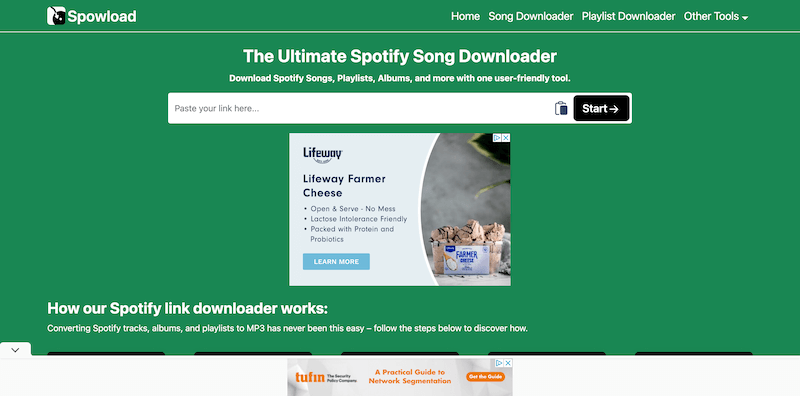
4 Spowload – Download Spotify Playlists Online Freely
Supported OS: Windows, Mac, iOS, and Android
Price: Free
When you are looking for a speedy Spotify to MP3 online converter, also consider Spowload. Developed with a good compatibility, this web-based platform can be well supported on a majority of mainstream browsers, enabling users of different devices to access the function and process Spotify to MP3 conversion with good quality. You only need to paste the Spotify links to the frame bar and click “Start”, it will resolve and extract the sources to let you download music in MP3 format right away. As it supports both single song and playlist download, it can be effective even if you get multiple playlists needing to download at once.
| ✔ Pros | ✘ Cons |
|
|
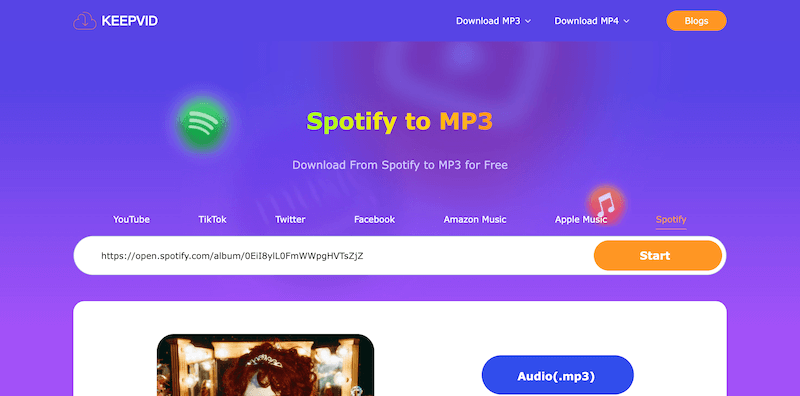
5 KeepVid – All-in-one Free Spotify to MP3 Music Converter
Supported OS: Windows, Mac, iOS, and Android
Price: Free
The all-rounded online music downloader KeepVid, also launches the Spotify to MP3 online converter available for those in needs to extract Spotify songs to regular MP3 audio files, in order to deliver a more convenient offline music streaming experience. It is designed with an intuitive interface without ads, which can bring you more friendly experience in converting Spotify to MP3.
However, as the tool is not equipped with the playlist conversion function, so it is better for those who get only several songs to convert. Otherwise, you will take a long time to manually process Spotify Music download one by one.
Also, grasp the brief guide to convert Spotify to MP3 via KeepVid Spotify to MP3 online converter:
Step 1. Go to Spotify and copy the URL of the Spotify song you’d like to download offline in MP3 format.
Step 2. Turn to KeepVid Spotify to MP3 online converter, then paste the link to the frame bar and hit the “Start” button to convert.
Step 3. When the download option is provided, tap it to download the converted MP3 song offline.
| ✔ Pros | ✘ Cons |
|
|
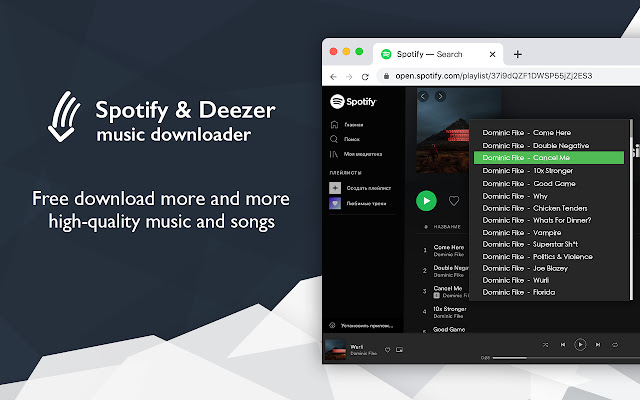
6 Spotify & Deezer Music Downloader – Top Spotify to MP3 Online Converter for Chrome
Supported OS: Windows & Mac
Price: Free
Spotify & Deezer Music Downloader is a handy option if you prefer Chrome for Spotify listening. It is a free Spotify to MP3 online converter capable of downloading Spotify tracks to MP3, allowing you to enjoy songs or make a ringtone from Spotify without premium. Most importantly, thanks to being a browser extension, it can detect any song currently playing on a Spotify web player and batch download them at once using Chrome. Here’s how to do it.
Step 1. Install the Spotify Deezer Music Downloader extension to Chrome.
Step 2. Stream a song on the Spotify web player, and it will detect available Spotify music.
Step 3. Download the song and listen to Spotify offline for free.
| ✔ Pros | ✘ Cons |
|
|
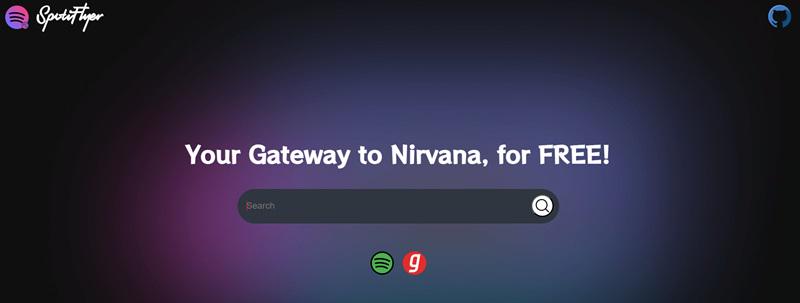
7 SpotiFlyer – Free Spotify MP3 Converter for Linux
Supported OS: Windows, Mac, Linux, and Android
Price: Free
SpotiFlyer is a versatile option if you are looking for a reliable Spotify to MP3 converter to download music from Spotify for free on more devices like Linux and Android. Plus, when this Spotify to MP3 freeware also develops a cross-platform web version, it is a more convenient way to download tracks, playlists, and albums in 320kbps quality with embedded album art online without installing a third-party application or software. Specific operations on using SpotiFlyer Spotify to MP3 Online Converter are as follows.
The SpotiFlyer online version is currently in beta. It is recommended to install its free software as a backup if you use a Linux computer. For Windows and macOS, you can also consider MuConvert Spotify Music Converter, which has proven to be very stable and supports batch downloads for faster conversion.
100% Secure 100% SecureStep 1. Find SpotiFlyer on GitHub to open its Spotify to MP3 online converter.
Step 2. Enter the music link you copied from Spotify and search for it.
Step 3. Download the music and enjoy Spotify without premium.
| ✔ Pros | ✘ Cons |
|
|
8 Ytmdl – Most Easy-to-Use Spotify to MP3 Online Converter
Supported OS: Windows & Mac
Price: Free
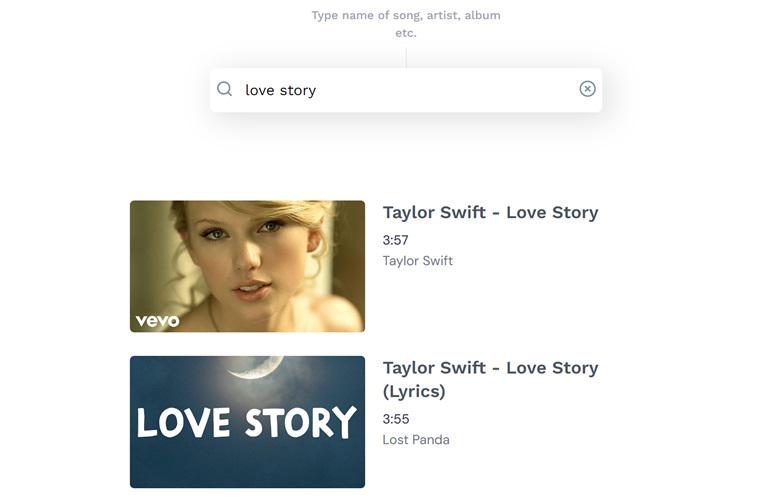
The Spotify to MP3 online converters above all require link copy and paste to convert Spotify to MP3. However, Ytmdl is different. It only needs the song title or artist name to complete the music download. This makes it as easy to use as the Spotify app and ensures it continues to work even if Spotify is down. But what sets it apart is that it offers MP3, M4A, and OPUS formats to meet various needs, as well as different versions of songs.
Step 1. Enter a song title or artist name in Ytmdl’s search bar.
Step 2. Select the version you want to download and just click it.
Step 3. Confirm the format from MP3, M4A, and OPUS. Then the song will be saved locally.
| ✔ Pros | ✘ Cons |
|
|
Comparison of Best Spotify to MP3 Online Converter Free
After going through details about the 8 best Spotify to MP3 online converters of high reputation, check this comparison table to better sort out your preferred one from multiple options:
| Output Formats | Output Quality | Batch Conversion | Playlists & Albums Download | Conversion Speed | Stability & Security | |
|---|---|---|---|---|---|---|
| SpotiDown.online | MP3 | 320kbps | ✔ | ✔ | 1X | Low |
| Spotify-downloader | MP3 | 320kbps | ✔ | ✔ | 1X | Low |
| SpotifyMate | MP3 | 320kbps | ❌ | ✔ | 1X | Low |
| Spowload | MP3 | 320kbps | ❌ | ✔ | 1X | Low |
| KeepVid | MP3 | 320kbps | ❌ | ❌ | 1X | Medium |
| Spotify & Deezer Music Downloader | MP3 | 320kbps | ✔ | ❌ | 1X | Low |
| SpotiFlyer | MP3 | 320kbps | ❌ | ✔ | 1X | Medium |
| Ytmdl | MP3, M4A, and OPUS | 320kbps | ❌ | ❌ | 1X | Medium |
The 8 Spotify to MP3 online converters are free and offer similar performance in audio quality and conversion speed. The best choice depends on your priorities. If download speed is your top concern, SpotiDown.online or Spotify-downloader is recommended. For a simpler interface and more output formats, Ytmdl might be a better fit. There’s no one-size-fits-all answer.
However, it’s worth noting that these Spotify MP3 converters may compromise on security. If you want to avoid potential damage or attacks on your device, it’s advisable to move on to the next section and try MuConvert Spotify Music Converter.
More Stable Alternative: MuConvert Spotify Music Converter
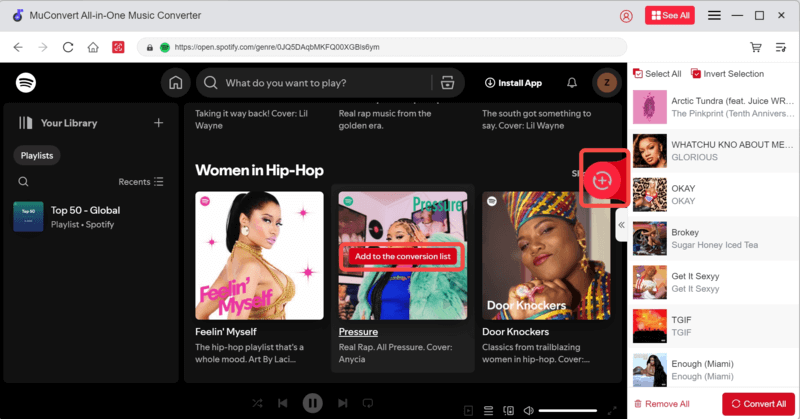
Unlike most Spotify to MP3 online converters, MuConvert Spotify Music Converter stands out for its high security and stable performance, thanks to professional maintenance and 24/7 customer support. Notably, no audio parse error occurs and it eliminates manual link copying, with its built-in official Spotify web player. Even better, hardware acceleration is introduced to boost download speeds up to 35X or faster.
In addition, MuConvert Spotify Music Converter also boasts a robust and impressive set of core features. Compatible with both Windows and Mac, it can convert Spotify tracks, playlists, albums, and podcasts to MP3, as well as other common-use formats like WAV, M4A, AIFF, WAV, ALAC, and FLAC. Meanwhile, its output quality is pleasing, allowing you to customize the bitrates and sample rates to preserve the downloads at up to 320kbps of high quality. Overall, if you are looking for an online Spotify MP3 converter alternative to save Spotify songs, MuConvert Spotify Music Converter is the best option.
100% Secure 100% Secure- All Spotify Music Access – Convert songs, albums, playlists, and podcasts from Spotify with no Spotify Premium.
- Easy & Quick Operation – Offer an embedded Spotify web player to stream and download any Spotify music without the help of the Spotify app.
- 35X Faster Speed – Hardware acceleration boosts download speeds, and batch downloading allows for multiple tasks to run simultaneously.
- Output Parameter Customization – Select formats from MP3, M4A, FLAC, WAV, and more, as well as support personalizing bitrate and sample rate to your liking.
- Spotify Restriction Removal – Remove DRM for multi-device playback, and bypass Spotify’s regional restrictions to access global music.
- Easy Song Management – Preserve and edit ID3 tags for more convenient management.
MuConvert Spotify Music Converter provides a free trial for first-time users to try out some of its powerful features. During the free trial, you can convert any Spotify track to MP3. Try it now!
FAQs About Spotify to MP3 Online Conversion
Q1: Is it Legal to Convert Spotify to MP3?
Converting Spotify songs without permission is illegal in many countries and also might violate Spotify’s terms of service, especially if you use these converted songs for profit. However, if you just convert Spotify for personal collection, it is also acceptable.
Q2: Why my Spotify to MP3 converter fails to work?
In recent user feedbacks, some online Spotify to MP3 converters like Soundloaders, DZR, and AllToMP3 failed to provide the download function to convert Spotify songs to MP3 anymore. Actually, the connection stability can always be a great threat to online tools, causing the conversion failures from time to time. Hence, if you are using these online options but they are no longer working, you are recommended to switch to a professional and stabler alternative, MuConvert Spotify Music Converter to try (it offers a 30-day free trial).
Q3: Should I Use A Desktop or Online Spotify to MP3 Converter?
Desktop and online Spotify to MP3 converters have their respective advantages. Online Spotify converters require links to convert the songs. They are free and easy but don’t support playlist downloads, making them only ideal for downloading single Spotify songs.
When it comes to downloading playlists, albums, and podcasts, desktop Spotify converters can be the better choice. They are designed to download Spotify music and feature high audio quality, fast speed, and easy downloads. Excellent music converters can bring super fast speed. For example, MuConvert Spotify Music Converter even delivers 35X speed.
Conclusion
That’s all about the 8 best Spotify to MP3 online converters. With them, you can convert songs, playlists, and albums from Spotify to MP3 online and for free. However, none of them are flawless. Therefore, MuConvert Spotify Music Converter is strongly recommended here. It not only offers fast and stable download performance but also supports batch download to help you convert Spotify songs and even podcasts easily. Download it and try it now!
100% Secure 100% SecureConvert Spotify Music to MP3 in 320kbps
Drag and drop to convert Spotify songs, albums, playlists, and podcasts to MP3 easily.
More Posts
15 Best Spotify to MP3 Converters in 2025 [Free Picks] Read More » Convert Spotify to MP3: 7 Best Ways Recommended in 2025 Read More » How to Download Spotify Songs for Free [2025] Read More »