

SoundCloud delivers niche music resources, as you can discover independent music, DJ mixes, and podcasts. For convenience, SoundCloud also provides the download function to directly convert and download SoundCloud to MP3. However, this is only available when the authors enable permission for download.
So when it comes to convert SoundCloud to MP3 even without permission, there is a common way in general – use a third-party SoundCloud to MP3 downloader, and that’s what we are going to introduce in this post.
Below, we review the 8 best SoundCloud to MP3 converters in 2026, including the most commonly-used options like online converters, browser extensions, desktop software, audio recorders, and open-source GitHub tools for you to choose. Now, let’s dive into reading and sort out the best one to convert SoundCloud to MP3 efficiently and safely!

Can You Download from SoundCloud Directly?
Yes, but only with restrictions. By default, SoundCloud provides two official ways to save music:
- irect Download Button on Website: If the creator enables it, a Download button will appear beneath the track, allowing you to save the file directly.
- Subscribing to Go/Go+ in App: On the mobile app, SoundCloud Go or Go+ subscribers can save tracks for offline playback, though the files remain locked inside the SoundCloud app.
These options are limited. Not every track has the download button available, offline saves can’t be exported, and the files are not always in MP3 format. That’s why many listeners search for a reliable SoundCloud to MP3 converter – to download from SoundCloud in MP3 quality, keep playlists permanently, and enjoy music freely across any device.
Top 8 Best SoundCloud to MP3 Converters
The following 8 best SoundCloud to MP3 converters include tools compatible with almost all systems and devices, such as professional desktop downloaders, online services, recording tools, and also browser plug-ins. The review will walk through the performance, security, efficiency, and output music quality as your references. Now, scroll down and select the one that is the most convenient for you to save SoundCloud playlists in MP3!
#1 MuConvert SoundCloud Music Converter (Best Overall Desktop App)
For listeners who want more than just single-track downloads, a desktop SoundCloud to MP3 converter is the most reliable option. If your goal is to grab entire playlists, albums, or podcasts in high quality without interruptions, MuConvert SoundCloud Music Converter is the top pick for you.
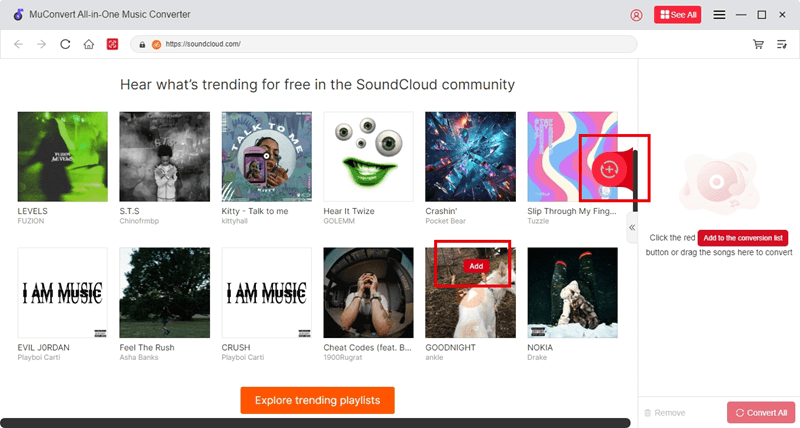
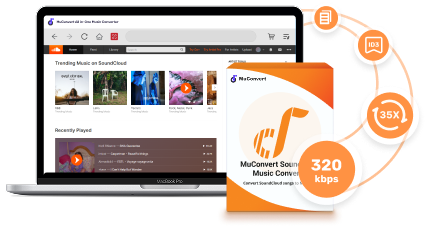
MuConvert SoundCloud Music Converter embeds with powerful music decoding engine, which can successfully download full SoundCloud playlists to MP3, WAV, or other mainstream audio formats at up to 35X speed, while preserving complete ID3 tags such as artist name, album info, and cover art. The built-in web player makes the music conversion to be especially efficient: simply find your favorite songs or playlists in the built-in SoundCloud platform, and then drag and drop them for conversion, with no copying and pasting SoundCloud music links anymore.
The program offers flexible bitrate and sample rate settings for both high-quality and lossless exports, maintaining the same great streaming experience for SoundCloud music playback. Throughout testing, MuConvert SoundCloud Music Converter remained stable and responsive, even during batch conversions – no freezing, no crashes, and no background security risks.
 100% Secure 100% Secure
Beyond SoundCloud, MuConvert also supports Spotify, Apple Music, Amazon Music, YouTube Music, and more, making it a safe, ad-free, and long-term solution for users who want efficient music downloading without the reliability issues often found in free online SoundCloud to MP3 converters.
Pros:
- Download any SoundCloud track, playlist, album, podcast, or audiobook
- Support for multiple output formats: MP3, WAV, FLAC, etc.
- Batch conversion with one-click playlist importing
- Retains ID3 tags and cover art for better music management
- Lossless quality option with customizable bitrate and sample rate
- 35X faster download speed compared to standard tools
Cons:
- Free trial has limitations
How to Use MuConvert SoundCloud Music Converter:
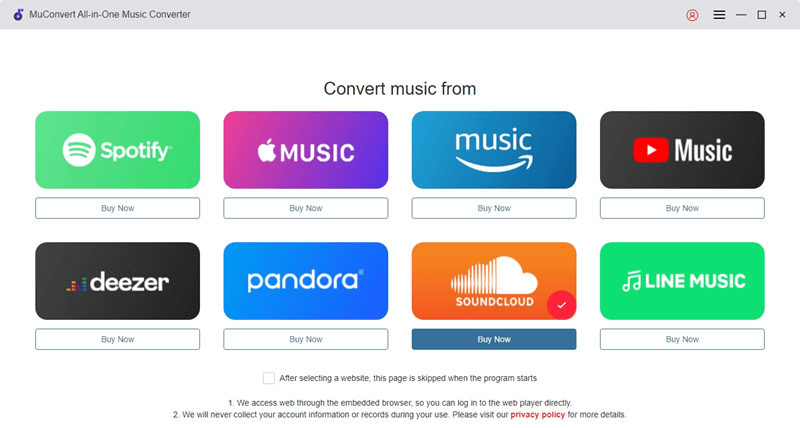
Step 1. Launch MuConvert and enter the SoundCloud service to access the built-in SoundCloud platform.
Step 2. Browse or search for the track, playlist, or album you want, then drag it into the converter or click the “+” button to add.
Step 3. Choose the output format as MP3, and then you can also customize bitrate or sample rate for having the music quality you like if needed.
Related: 5 Best SoundCloud to WAV Downloaders in 2025
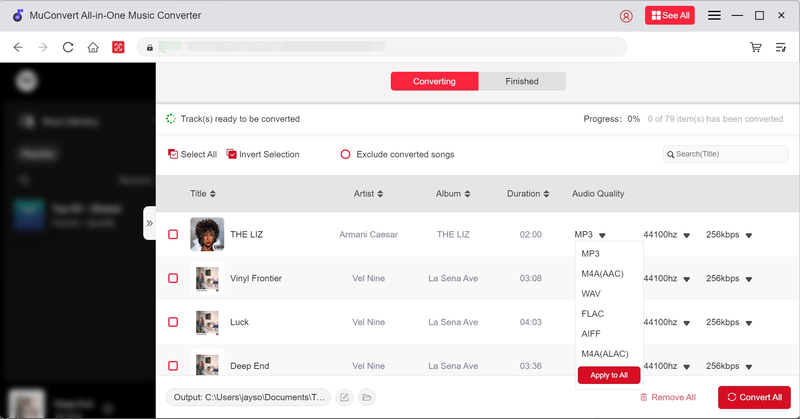
Step 4. Click “Convert All” to start downloading and converting SoundCloud to MP3 instantly.
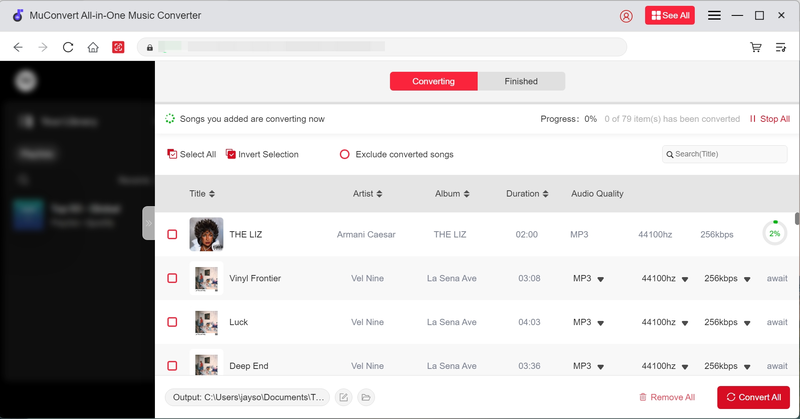
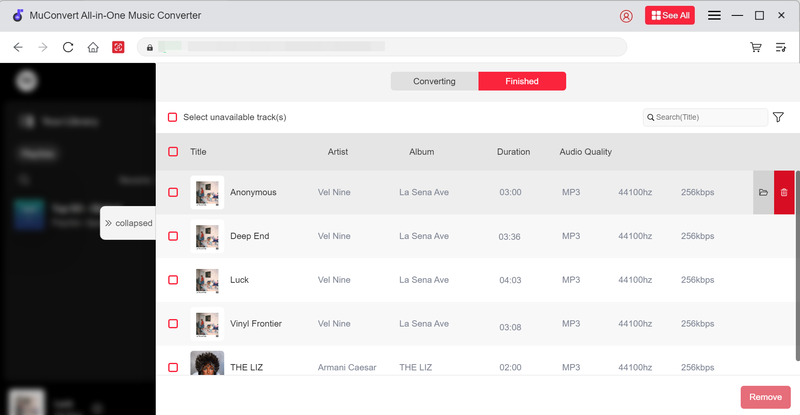
Step 5. Once completed, open the “Finished” tab to find converted SoundCloud MP3 files. Then you are able to enjoy the streaming offline without using the SoundCloud app anymore!
#2 KlickAud (Online)
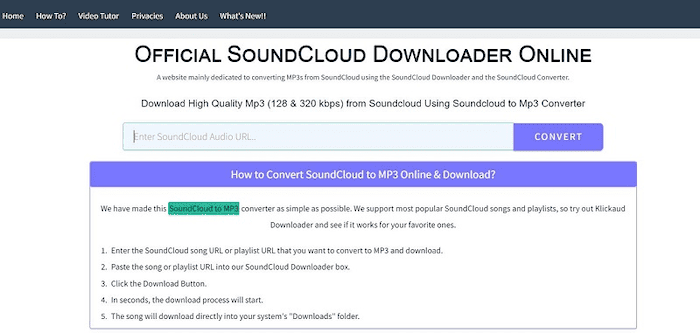
If you’re looking for a lightweight SoundCloud to MP3 online tool to save MP3 songs from SoundCloud effortlessly, KlickAud is a free option worth trying. As testing, it runs directly in the browser without sign-up or installation – just paste a SoundCloud track link and the MP3 file is usually generated within seconds.
The overall process is smooth, without getting stuck in the middle. As KlickAud delivers an interface that is minimal and easy to navigate, with no confusing settings, which makes it ideal for occasional single-track downloads, even friendly for beginners. During testing, the conversion success rate can vary depending on the song’s availability. Overall, KlickAud delivers a quick and straightforward experience for users who want a simple, no-frills way to convert SoundCloud to MP3 online.
Pros:
- 100% free to use with no hidden charges
- Works directly in any modern browser
- No registration, sign-in, or software installation required
- Very fast conversion for single tracks
- Simple and minimal interface, easy for beginners
Cons:
- Doesn’t reliably support playlists or albums
- Limited to MP3 format without quality settings
- May display ads during use
How to Use KlickAud
Step 1. Open KlickAud.
Step 2. Copy the SoundCloud track URL you’d like to convert.
Step 3. Paste the link into the search box and hit “Download”.
Step 4. Save the MP3 file to your device.
#3 OKmusi (Online)
Another reliable online SoundCloud to MP3 converter that can deliver the same efficient and safe help can be OKmusi.
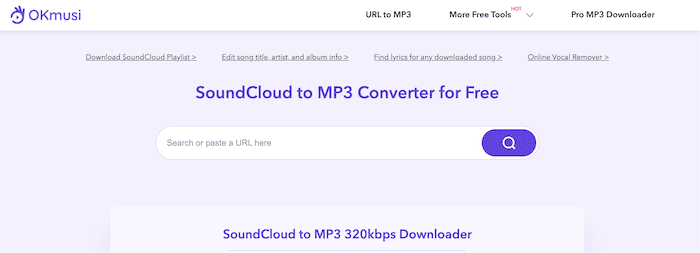
OKmusi SoundCloud to MP3 Converter can handle not only single SoundCloud songs, but also whole playlists as well as albums, only by pasting music links to it, and the option to select output quality up to 320kbps is a nice bonus for listeners who care about sound. The whole SoundCloud to MP3 conversion is smooth and intuitive, making it a convenient tool even for mobile users to try. With OKmusi SoundCloud to MP3 Converter, you can freely get your favorite SoundCloud songs even in batches whenever you like!
Pros:
- Handles tracks, playlists, and albums
- Multiple quality options up to 320kbps
- Works on desktop and mobile
- Free and browser-based
Cons:
- Playlist downloads slower than desktop apps
- Ads may appear
- Only supports MP3 format
How to Use OKmusi
Step 1. Visit OKmusi.
Step 2. Copy the URL of a SoundCloud track, playlist, or album.
Step 3. Paste the link, select MP3 quality, and click “Download”.
#4 SoundLoadMate (Online)
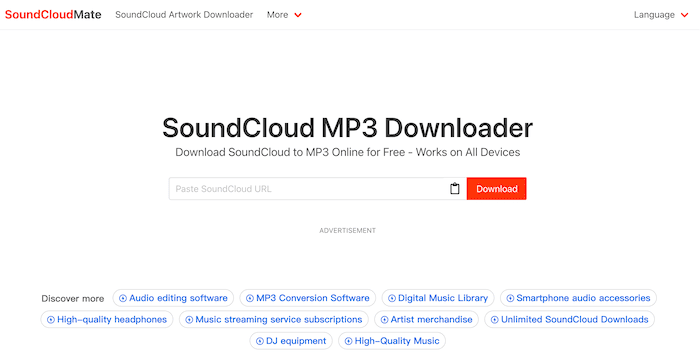
For downloading instant single songs from SoundCloud, SoundLoadMate is also a good choice that can help you complete the conversion process quickly. You only need to prepare the music links and paste to SoundLoadMate, it will complete the rest for you. Its lightweight design enables the tool to be compatible with most mainstream browsers, taking only a few seconds to complete SoundCloud to MP3 conversion for you.
However, the ads on the website can be a drawback that would affect your user experience. Also, playlist conversion is not supported. For a more efficient and ad-free SoundCloud MP3 downloading process, you will probably need to switch to other tools to help.
Pros:
- Very simple to use
- Free and web-based
- Works instantly for single tracks
Cons:
- No playlist or album support
- Limited to MP3 format only
- May contain ads or occasional downtime
How to Use SoundLoadMate
Step 1. Go to SoundLoadMate.
Step 2. Copy the URL of the SoundCloud track you want.
Step 3. Paste it into the search box and click “Download”.
#5 ScloudMe (Online)
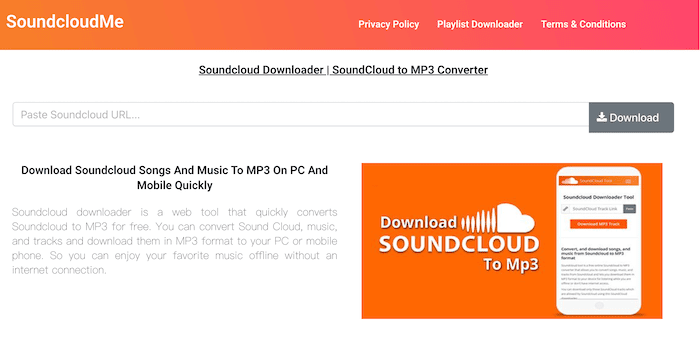
ScloudMe provides stable SoundCloud to MP3 conversion service even when some other converters will suddenly go unavailable unexpectedly. Its web pages can load quickly, even for the conversion process it will maintain as stable as possible. While it doesn’t support playlist downloads or advanced controls, ScloudMe performs reliably for basic, everyday SoundCloud track downloads when you just need a quick and straightforward solution.
The output quality processed by ScloudMe can also maintain at good status, though a little bit compressed compared to the original sources. But it is still a popular choice for many users to download SoundCloud to MP3.
Pros:
- Free and browser-based
- Simple, clean interface
- Quick for single-track downloads
Cons:
- No playlist or album support
- Limited to MP3 only
- Fewer features than leading converters
How to Use ScloudMe
Step 1. Open a web browser and navigate to ScloudMe.
Step 2. Get the URL of the SoundCloud track you need to download as MP3 from the official website.
Step 3. Paste the link to ScloudMe and click “Download”.
#6 Addoncrop SoundCloud Music Downloader (Browser Plugin)
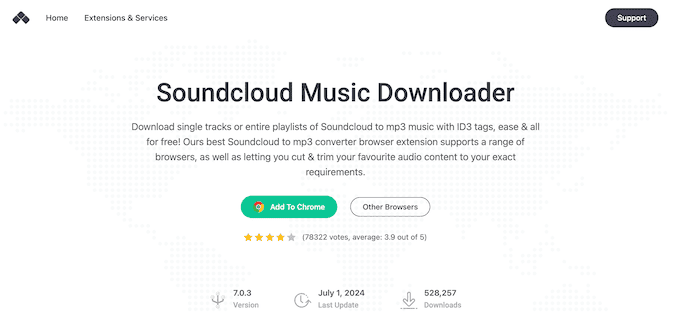
For those who prefer a SoundCloud to MP3 downloader without requiring jumping between websites, the SoundCloud Music Downloader by Addoncrop is a solid choice. The most attractive advantage is how naturally it blends into SoundCloud itself – once installed, a Download button will be directly embedded under all SoundCloud tracks and playlists, so you can tap it and save your favorite SoundCloud music in MP3 format instantly.
Additionally, SoundCloud Music Downloader extension will also save ID3 tags for every SoundCloud download correctly, including artist, title, and cover art. While it may occasionally miss a track or slow down on very large playlists, overall feedback is positive, with many users praising its convenience, and ad-free experience, making it also a good choice for converting and downloading SoundCloud to MP3.
Pros:
- Direct integration into the SoundCloud interface
- One-click downloads for tracks and playlists
- Preserves ID3 tags (artist, album, cover art)
- Free and easy to use
Cons:
- Not officially available in the Chrome Web Store (manual installation needed)
- May stop working if SoundCloud updates its platform
- Security and privacy risks since it’s a third-party extension
How to Use the Addoncrop Extension
Step 1. Download the SoundCloud Music Downloader extension from Addoncrop.
Step 2. Install it on your browser (works with Chrome and other Chromium-based browsers).
Step 3. Open SoundCloud, and you’ll see a new Download button under tracks or playlists.
Step 4. Click it to save the MP3 file directly to your device.
#7 Audacity (Recording Tool)
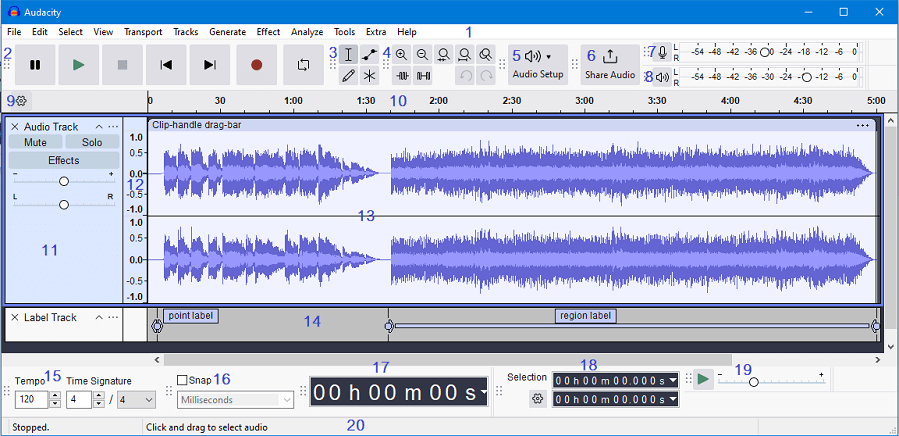
Online tools and extensions can be tricky sometimes – as the services may be down occasionally, or showing conversion failures suddenly. Therefore, recording method is also another way to save SoundCloud tracks as MP3. Audacity, a free and open-source audio editor, is one of the best tools for this purpose. Instead of downloading directly, it records the audio as it plays on your computer, then lets you export it in MP3 or other formats. This approach guarantees you can capture any track, podcast, or live set – even if no download option is available.
Definitely, the only drawback of this method should be that it is time-wasting – you will have to wait for the same time as the duration, which is not suitable for saving SoundCloud playlist to MP3.
Pros:
- Works for any track, podcast, or live stream
- Free and open-source
- Supports multiple output formats beyond MP3
- Provides editing tools (trim, fade, EQ) before exporting
Cons:
- Real-time recording takes longer than direct downloads
- Requires manual setup and trimming
- Audio quality depends on playback and system settings
How to Use Audacity
Step 1. Download and install Audacity.
Step 2. Open SoundCloud in your browser and play the track you want to save.
Step 3. In Audacity, select your computer’s system audio as the input source and start recording.
Step 4. When the track finishes, stop the recording and trim if needed.
Step 5. Export the file as MP3 (or WAV, FLAC, etc.) to your device.
#8 yt-dlp-interface (GitHub Project)
For advanced users who are comfortable with open-source tools, GitHub hosts several SoundCloud to MP3 downloader projects that offer more flexibility than typical online converters. One notable example is yt-dlp-interface, a graphical tool built on the popular command-line downloader yt-dlp. It allows you to paste SoundCloud links, download single tracks or playlists, and convert them into MP3 files with metadata support. Because it’s open-source, you can also explore or customize the code to suit your needs.

Pros:
- Open-source and free
- Supports tracks, playlists, and batch downloads
- Often includes advanced features like metadata retention
- Greater control and flexibility compared to online tools
Cons:
- Requires technical setup and command-line familiarity
- Not beginner-friendly
- Projects may be discontinued or break if SoundCloud changes its API
How to Use GitHub Projects
Step 1. Visit the GitHub repository (e.g., yt-dlp-interface and related forks).
Step 2. Download or clone the project to your computer.
Step 3. Follow the installation instructions (usually requires Python or Node.js).
Step 4. Run the tool, paste your SoundCloud track or playlist URL, and export the audio to MP3.
Comparison of the Best SoundCloud to MP3 Converters
To help you decide faster, here’s a side-by-side comparison of the tools we reviewed:
| Tool | Type | Supports Playlists/Albums | Output Formats | Ease of Use | Speed |
|---|---|---|---|---|---|
| MuConvert SoundCloud Music Converter | Desktop App | ✅ | MP3, WAV, FLAC, M4A | ⭐⭐⭐⭐ | ⭐⭐⭐⭐ ⭐️ |
| KlickAud | Online Tool | ❌ | MP3 only | ⭐⭐⭐⭐ | ⭐⭐⭐⭐ |
| OKmusi | Online Tool | ✅ | MP3 (128–320kbps) | ⭐⭐⭐⭐ | ⭐⭐⭐ |
| SoundLoadMate | Online Tool | ❌ | MP3 only | ⭐⭐⭐⭐ | ⭐⭐⭐ |
| ScloudMe | Online Tool | ❌ | MP3 only | ⭐⭐⭐ | ⭐⭐⭐ |
| Addoncrop SoundCloud Downloader | Browser Extension | ✅ | MP3 only | ⭐⭐⭐⭐ | ⭐⭐⭐⭐ |
| Audacity | Recording Software | ✅ | MP3, WAV, FLAC, etc. | ⭐⭐ | ⭐ |
| yt-dlp-interface (GitHub) | Open-source Project | ✅ | MP3 + others (customizable) | ⭐⭐ | ⭐⭐⭐ |
Conclusion
In this guide, we introduced the 8 best SoundCloud to MP3 converters available in 2025—covering online tools, browser extensions, desktop apps, recording software, and even GitHub projects. Desktop apps deliver the best stability and quality though they require installation; Online converters are quick and convenient but less reliable; browser extensions offer one-click downloads but may break with updates; recording software works universally but is slow; and GitHub projects give full control to tech users at the cost of complexity.
Among them, MuConvert SoundCloud Music Converter stands out as the best overall solution. With playlist support, multiple formats, ID3 tags, and 35X faster downloads, it provides the perfect balance of speed, quality, and features, making it the most reliable way to build your offline SoundCloud collection.
100% Secure 100% SecureGet Your Favorite Streaming Music in Lossless MP3 Format
Feel free to use MuConvert to batch-download music from 6 music streaming platforms. Save vast music collections in a minute!
More Posts
How to Download SoundCloud to MP3 [2026 Best Choices] Read More » 3 Ways to Download SoundCloud to M4A (Full Guide) Read More » 5 Best Free SoundCloud Playlist Downloaders of 2026 Read More » 5 Best SoundCloud to WAV Downloaders in 2025 Read More » Top 4 Ways to Download SoundCloud to FLAC (2025 Updated) Read More »