

SoundCloud is a great place to discover new music, remixes, and podcasts, but saving your favorites isn’t always easy. Only some tracks can be downloaded if the artist allows it, and offline saves with Go/Go+ stay locked inside the app. Most listeners simply want a straightforward way to convert SoundCloud to MP3 so they can keep their tracks and play them anywhere. And that’s exactly where a SoundCloud to MP3 converter comes in.
In this guide, we’ll show you the 8 best SoundCloud to MP3 converter tools in 2025, covering official options, online converters, browser plugins, desktop apps, recording software, and even GitHub projects. Whether you want to save a playlist for offline listening, keep a favorite remix in your personal library, or back up tracks for creative projects, the right converter makes it simple.

Can You Download from SoundCloud Directly?
Yes, but only with restrictions. By default, SoundCloud provides two official ways to save music:
- Download Button: If the creator enables it, a Download button will appear beneath the track, allowing you to save the file directly.
- Offline Listening with Go/Go+: On the mobile app, SoundCloud Go or Go+ subscribers can save tracks for offline playback, though the files remain locked inside the SoundCloud app.
These options are limited. Not every track has the download button available, offline saves can’t be exported, and the files are not always in MP3 format. That’s why many listeners search for a reliable SoundCloud to MP3 converter – to download from SoundCloud in MP3 quality, keep playlists permanently, and enjoy music freely across any device.
Top 8 Best SoundCloud to MP3 Converters
Since the official download options on SoundCloud are limited, many users rely on third-party solutions to save their favorite tracks in MP3 format. The good news is that there are plenty of tools designed for this purpose. From fast online services to reliable desktop apps, browser plugins, recording software, and even GitHub projects, you can choose the method that best fits your needs.
Below, we’ve reviewed the 8 best SoundCloud to MP3 converters in 2025.
#1 MuConvert SoundCloud Music Converter (Best Overall Desktop App)
For listeners who want more than just single-track downloads, a desktop SoundCloud to MP3 converter is the most reliable option. If your goal is to grab entire playlists, albums, or podcasts in high quality without interruptions, MuConvert SoundCloud Music Converter is the top pick for you.
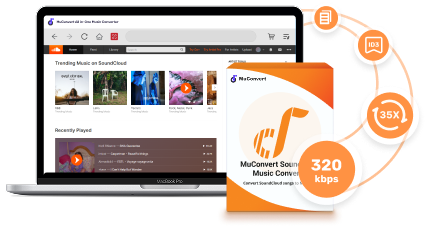
MuConvert SoundCloud Music Converter is a full-featured desktop solution that lets you download any SoundCloud content – including tracks, albums, playlists, podcasts, and audiobooks – at up to 35X faster speed while keeping ID3 tags like artist, album, and cover art intact. With its built-in web player, you can easily drag and drop tracks without logging in, then export them in multiple formats such as MP3, WAV, or FLAC, with options for lossless quality and customizable bitrate or sample rate.
 100% Secure 100% Secure
The software also supports custom naming rules and folder organization, making it simple to manage large music collections. Beyond SoundCloud, it also supports popular platforms like Spotify, Apple Music, Amazon Music, YouTube Music, and more, making it a truly versatile music downloader.
Pros:
- Download any SoundCloud track, playlist, album, podcast, or audiobook
- Support for multiple output formats: MP3, WAV, FLAC, etc.
- Batch conversion with one-click playlist importing
- Retains ID3 tags and cover art for better music management
- Lossless quality option with customizable bitrate and sample rate
- 35X faster download speed compared to standard tools
Cons:
- Free trial has limitations
How to Use MuConvert SoundCloud Music Converter:
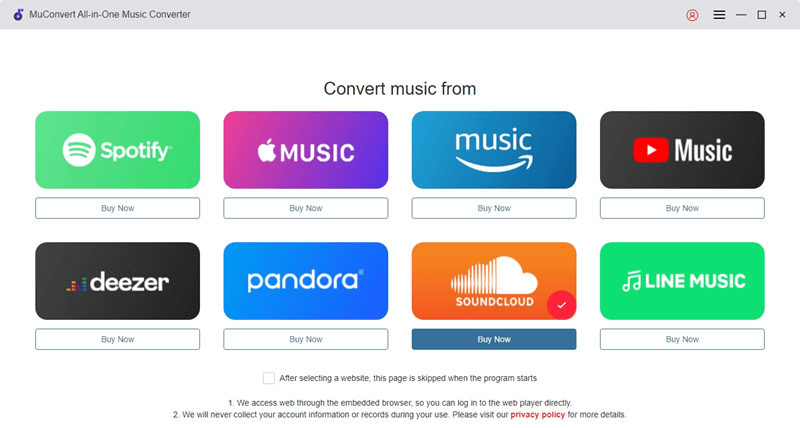
Step 1. Launch MuConvert and enter the SoundCloud service.
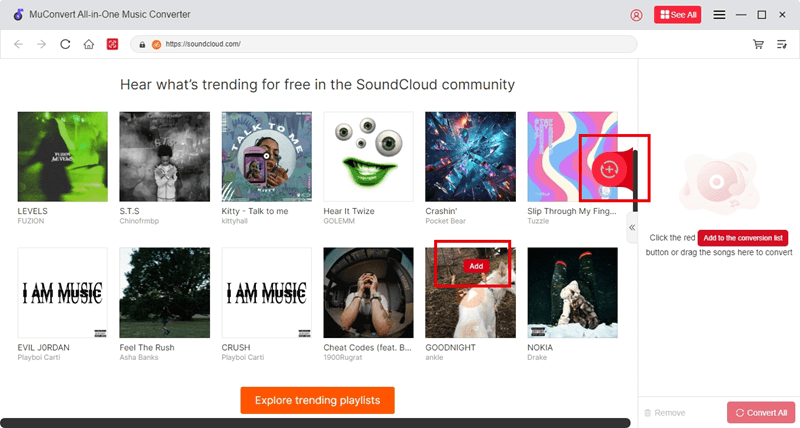
Step 2. Browse or search for the track, playlist, or album you want, then drag it into the converter or click the “+” button to add.
Step 3. Choose the output format (MP3, WAV, FLAC, M4A, etc.), and customize bitrate or sample rate if needed.
Related: 5 Best SoundCloud to WAV Downloaders in 2025
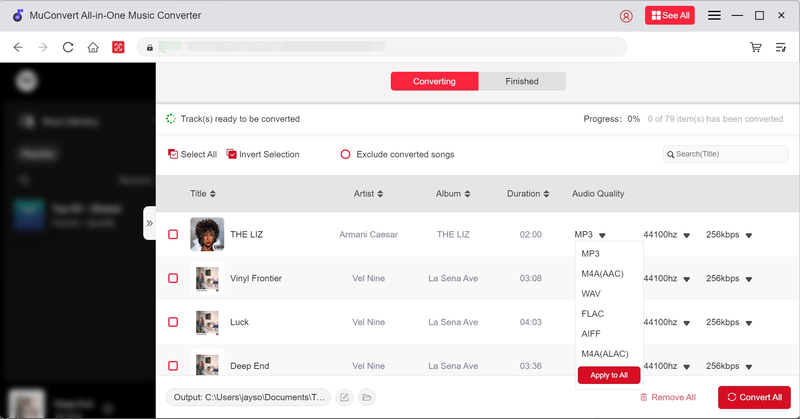
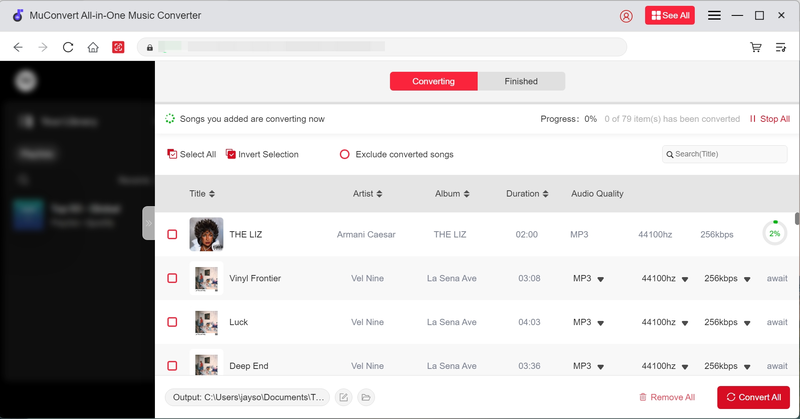
Step 4. Click “Convert All” to start downloading and converting.
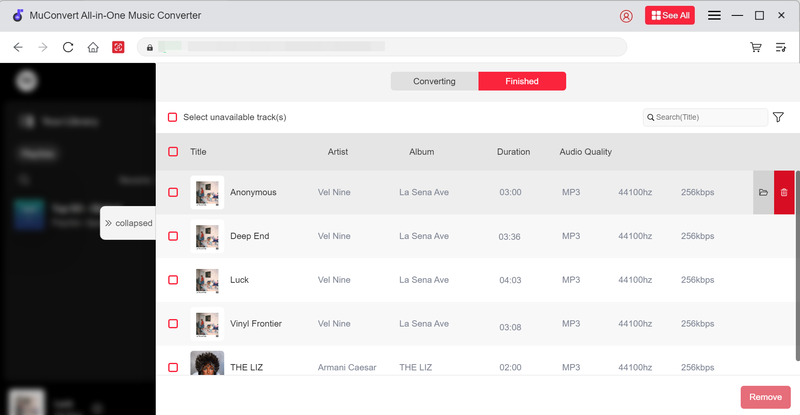
Step 5. Once completed, open the “Finished” tab to find and play your MP3 files offline.
#2 KlickAud (Online)
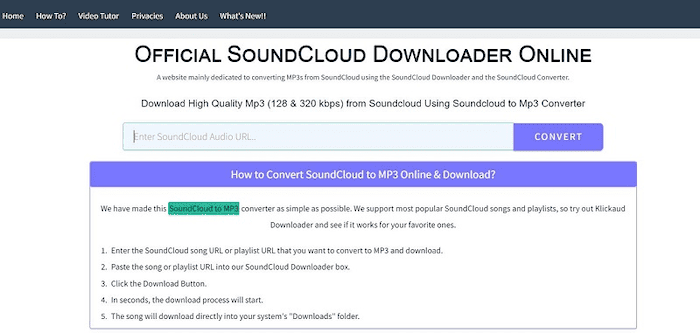
If you prefer a lightweight, web-based option, KlickAud is one of the most popular free SoundCloud to MP3 converters online. It’s completely free, runs in any modern browser, and has built a reputation for being simple and fast, making it especially convenient if you only need an MP3 copy of a song every now and then.
Pros:
- 100% free to use with no hidden charges
- Works directly in any modern browser
- No registration, sign-in, or software installation required
- Very fast conversion for single tracks
- Simple and minimal interface, easy for beginners
Cons:
- Doesn’t reliably support playlists or albums
- Limited to MP3 format without quality settings
- May display ads during use
How to Use KlickAud
Step 1. Open KlickAud.
Step 2. Copy the SoundCloud track URL you’d like to convert.
Step 3. Paste the link into the search box and hit “Download”.
Step 4. Save the MP3 file to your device.
#3 OKmusi (Online)
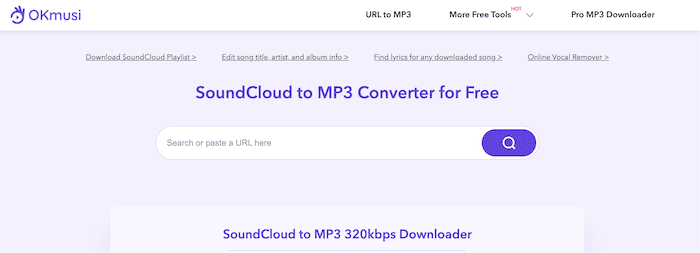
If you want to download not just a single track but also full playlists or albums, OKmusi is a great option. This online SoundCloud to MP3 converter supports bulk downloads and lets you choose the output quality, from 128kbps up to 320kbps. It works smoothly on both desktop and mobile browsers, with no installation required—making it a handy choice for building your own offline library.
Pros:
- Handles tracks, playlists, and albums
- Multiple quality options up to 320kbps
- Works on desktop and mobile
- Free and browser-based
Cons:
- Playlist downloads slower than desktop apps
- Ads may appear
- Only supports MP3 format
How to Use OKmusi
Step 1. Visit OKmusi.
Step 2. Copy the URL of a SoundCloud track, playlist, or album.
Step 3. Paste the link, select MP3 quality, and click “Download”.
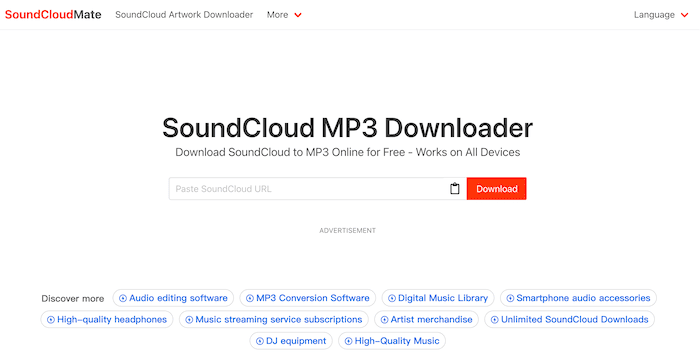
#4 SoundLoadMate (Online)
For users who value simplicity above all, SoundLoadMate is another free online SoundCloud to MP3 converter worth trying. It focuses on a straightforward process – just paste the track URL and download – without extra settings or advanced features. While it doesn’t support playlists or multiple formats, SoundLoadMate is a lightweight alternative that works well when you only need to grab a single MP3 quickly.
Pros:
- Very simple to use
- Free and web-based
- Works instantly for single tracks
Cons:
- No playlist or album support
- Limited to MP3 format only
- May contain ads or occasional downtime
How to Use SoundLoadMate
Step 1. Go to SoundLoadMate.
Step 2. Copy the URL of the SoundCloud track you want.
Step 3. Paste it into the search box and click “Download”.
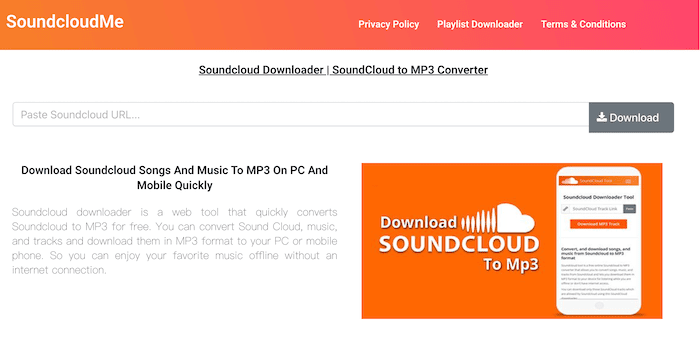
#5 ScloudMe (Online)
Sometimes popular online converters can go offline or face temporary restrictions. In such cases, ScloudMe serves as a handy alternative for downloading SoundCloud tracks to MP3. The interface is minimal and easy to use, which makes it a convenient choice if you want a quick, no-frills solution for downloading songs. While it doesn’t support playlists or advanced settings, ScloudMe works well for basic, everyday needs.
Pros:
- Free and browser-based
- Simple, clean interface
- Quick for single-track downloads
Cons:
- No playlist or album support
- Limited to MP3 only
- Fewer features than leading converters
How to Use ScloudMe
Step 1. Go to ScloudMe.
Step 2. Copy the URL of the SoundCloud track you want.
Step 3. Paste the link into the box and click “Download”.
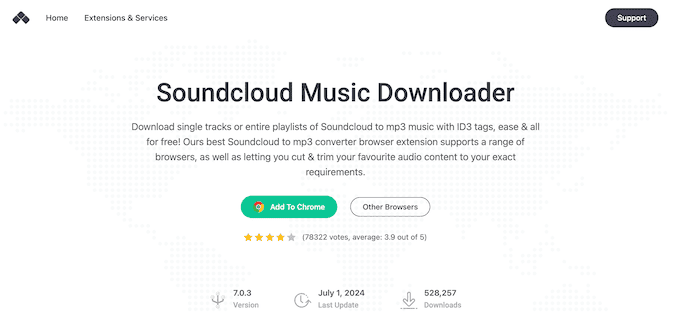
#6 Addoncrop SoundCloud Music Downloader (Browser Plugin)
If you’d rather not rely on online converters and want an even smoother experience inside your browser, the SoundCloud Music Downloader by Addoncrop is one of the most popular extensions available. Once installed, it integrates directly into the SoundCloud interface and adds a Download button below each track or playlist, letting you save MP3 files with just one click. Unlike simpler plugins, it also supports downloading entire playlists and keeps ID3 tags like artist and cover art intact, which makes organizing your music library easier.
Pros:
- Direct integration into the SoundCloud interface
- One-click downloads for tracks and playlists
- Preserves ID3 tags (artist, album, cover art)
- Free and easy to use
Cons:
- Not officially available in the Chrome Web Store (manual installation needed)
- May stop working if SoundCloud updates its platform
- Security and privacy risks since it’s a third-party extension
How to Use the Addoncrop Extension
Step 1. Download the SoundCloud Music Downloader extension from Addoncrop.
Step 2. Install it on your browser (works with Chrome and other Chromium-based browsers).
Step 3. Open SoundCloud, and you’ll see a new Download button under tracks or playlists.
Step 4. Click it to save the MP3 file directly to your device.
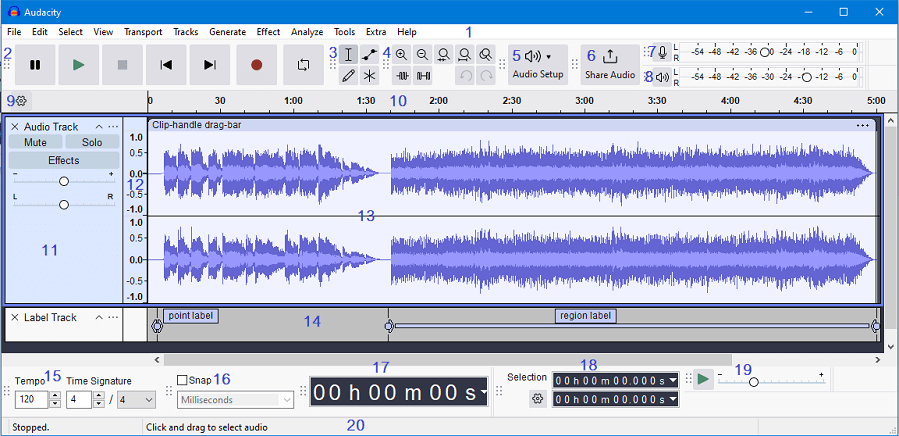
#7 Audacity (Recording Tool)
If online tools or extensions don’t work, a recording method is another way to save SoundCloud tracks as MP3. Audacity, a free and open-source audio editor, is one of the best tools for this purpose. Instead of downloading directly, it records the audio as it plays on your computer, then lets you export it in MP3 or other formats. This approach guarantees you can capture any track, podcast, or live set—even if no download option is available.
Pros:
- Works for any track, podcast, or live stream
- Free and open-source
- Supports multiple output formats beyond MP3
- Provides editing tools (trim, fade, EQ) before exporting
Cons:
- Real-time recording takes longer than direct downloads
- Requires manual setup and trimming
- Audio quality depends on playback and system settings
How to Use Audacity
Step 1. Download and install Audacity.
Step 2. Open SoundCloud in your browser and play the track you want to save.
Step 3. In Audacity, select your computer’s system audio as the input source and start recording.
Step 4. When the track finishes, stop the recording and trim if needed.
Step 5. Export the file as MP3 (or WAV, FLAC, etc.) to your device.
#8 yt-dlp-interface (GitHub Project)
For advanced users who are comfortable with open-source tools, GitHub hosts several SoundCloud to MP3 downloader projects that offer more flexibility than typical online converters. One notable example is yt-dlp-interface, a graphical tool built on the popular command-line downloader yt-dlp. It allows you to paste SoundCloud links, download single tracks or playlists, and convert them into MP3 files with metadata support. Because it’s open-source, you can also explore or customize the code to suit your needs.

Pros:
- Open-source and free
- Supports tracks, playlists, and batch downloads
- Often includes advanced features like metadata retention
- Greater control and flexibility compared to online tools
Cons:
- Requires technical setup and command-line familiarity
- Not beginner-friendly
- Projects may be discontinued or break if SoundCloud changes its API
How to Use GitHub Projects
Step 1. Visit the GitHub repository (e.g., yt-dlp-interface and related forks).
Step 2. Download or clone the project to your computer.
Step 3. Follow the installation instructions (usually requires Python or Node.js).
Step 4. Run the tool, paste your SoundCloud track or playlist URL, and export the audio to MP3.
Comparison of the Best SoundCloud to MP3 Converters
To help you decide faster, here’s a side-by-side comparison of the tools we reviewed:
| Tool | Type | Supports Playlists/Albums | Output Formats | Ease of Use | Speed |
|---|---|---|---|---|---|
| MuConvert SoundCloud Music Converter | Desktop App | ✅ | MP3, WAV, FLAC, M4A | ⭐⭐⭐⭐ | ⭐⭐⭐⭐ ⭐️ |
| KlickAud | Online Tool | ❌ | MP3 only | ⭐⭐⭐⭐ | ⭐⭐⭐⭐ |
| OKmusi | Online Tool | ✅ | MP3 (128–320kbps) | ⭐⭐⭐⭐ | ⭐⭐⭐ |
| SoundLoadMate | Online Tool | ❌ | MP3 only | ⭐⭐⭐⭐ | ⭐⭐⭐ |
| ScloudMe | Online Tool | ❌ | MP3 only | ⭐⭐⭐ | ⭐⭐⭐ |
| Addoncrop SoundCloud Downloader | Browser Extension | ✅ | MP3 only | ⭐⭐⭐⭐ | ⭐⭐⭐⭐ |
| Audacity | Recording Software | ✅ | MP3, WAV, FLAC, etc. | ⭐⭐ | ⭐ |
| yt-dlp-interface (GitHub) | Open-source Project | ✅ | MP3 + others (customizable) | ⭐⭐ | ⭐⭐⭐ |
Conclusion
In this guide, we introduced the 8 best SoundCloud to MP3 converters available in 2025—covering online tools, browser extensions, desktop apps, recording software, and even GitHub projects. Desktop apps deliver the best stability and quality though they require installation; Online converters are quick and convenient but less reliable; browser extensions offer one-click downloads but may break with updates; recording software works universally but is slow; and GitHub projects give full control to tech users at the cost of complexity.
Among them, MuConvert SoundCloud Music Converter stands out as the best overall solution. With playlist support, multiple formats, ID3 tags, and 35X faster downloads, it provides the perfect balance of speed, quality, and features, making it the most reliable way to build your offline SoundCloud collection.
100% Secure 100% SecureGet Your Favorite Streaming Music in Lossless MP3 Format
Feel free to use MuConvert to batch-download music from 6 music streaming platforms. Save vast music collections in a minute!
More Posts
Best SoundCloud to MP3 Converter Tools in 2025 [Top 8 Picks] Read More » 3 Ways to Download SoundCloud to M4A (Full Guide) Read More » 5 Best SoundCloud Playlist Downloaders in 2025 (Free & Paid) Read More » 5 Best SoundCloud to WAV Downloaders in 2025 Read More » Top 4 Ways to Download SoundCloud to FLAC (2025 Updated) Read More »