

On SoundCloud, it is much easier to discover more music content, because compared with other streaming music services like Spotify, SoundCloud allows individuals to create their own accounts and share self-created artworks with the public freely. As a result, no matter you are an independent artist uploading your latest work or a listener looking for more fresh music resources, SoundCloud provides a huge library for you to discover, even with the download function equipped!
However, as SoundCloud only limits the download function to let you save the music files as the same format that the uploader originally provided, it becomes inconvenient when you find the formats are incompatible with your devices, media players, or editors. That’s why many people begin to find a way to download SoundCloud to M4A – making the audio files supported for different purposes. So in this article, let’s see all three ways to help you with this! Scroll down and have a look now.

Way 1. Download SoundCloud Playlist to M4A 320kbps with Downloader
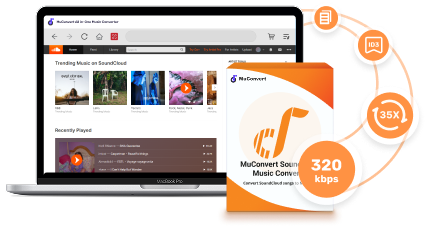
For sure that the most reliable and efficient way to download SoundCloud to M4A is by using professional software. One of the best SoundCloud playlist downloaders with good reputation and recommended by most users can no doubt be MuConvert SoundCloud Music Converter.
Unlike many other music downloaders using the traditional copy-and-paste method to process music download in an unstable way, MuConvert SoundCloud Music Converter directly embeds the official SoundCloud music player to connect to its server, so that users can search, play, and directly choose SoundCloud songs as well as playlists to download just with a few tabs.
 100% Secure 100% Secure
MuConvert SoundCloud Music Converter will ensure lossless audio quality to let you convert and download SoundCloud to MP3, M4A or other widely supported formats at up to 320Kbps output, which will give you the best offline playback experience, and it is also perfect for using the high-quality audio files for editing purposes if needed. The simple interface also makes MuConvert SoundCloud Music Converter beginner-friendly – new users can find the functions quite easy to get started, and they can just finish the first conversion in just a few clicks!
- Provides common formats such as M4A, MP3, WAV, and FLAC to download SoundCloud playlists
- Supports lossless SoundCloud quality to save downloaded audio files
- Keeps original ID3 information to make it easier for you to manage SoundCloud downloads offline
- Speeds up the conversion to 35X faster in bulk
- Runs smoothly and ensures high conversion success rate on both Windows and Mac computers
Now, you can install MuConvert SoundCloud Music Converter on your computer and then follow the tutorial below to download SoundCloud to M4A immediately.
Step 1.Enter SoundCloud Web Player
Once you have installed MuConvert SoundCloud Music Converter on your computer, open the software and choose “SoundCloud” from the home screen.
100% Secure 100% Secure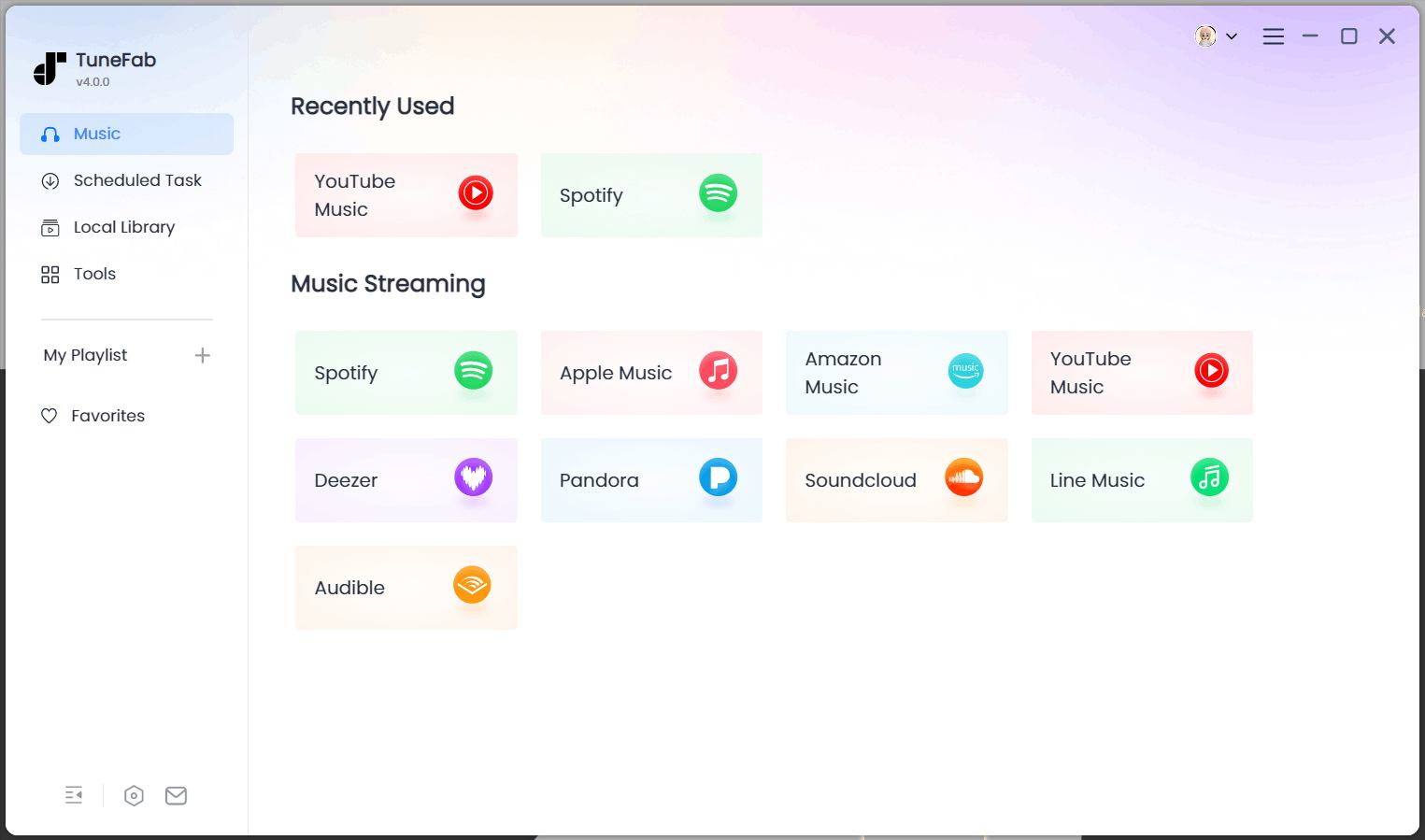
Step 2. Add SoundCloud Songs to Download
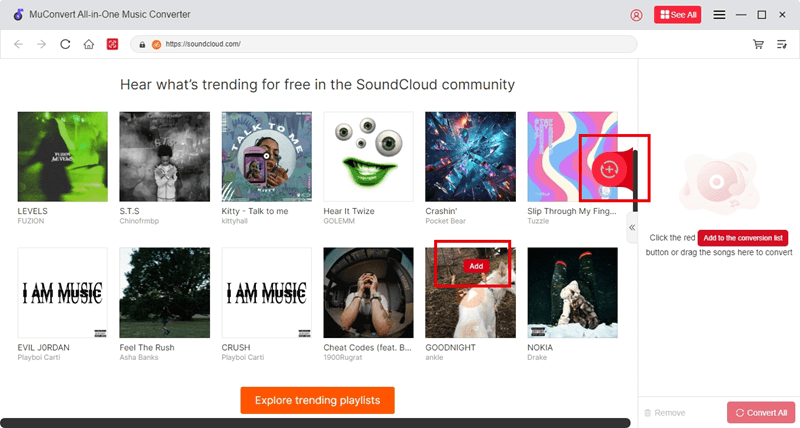
After the account signin, you can directly search for songs or playlists you’d like to download immediately. Add them to the conversion window by dragging and dropping, or tap the “Add” button.
Step 3. Set Up M4A Format and Quality
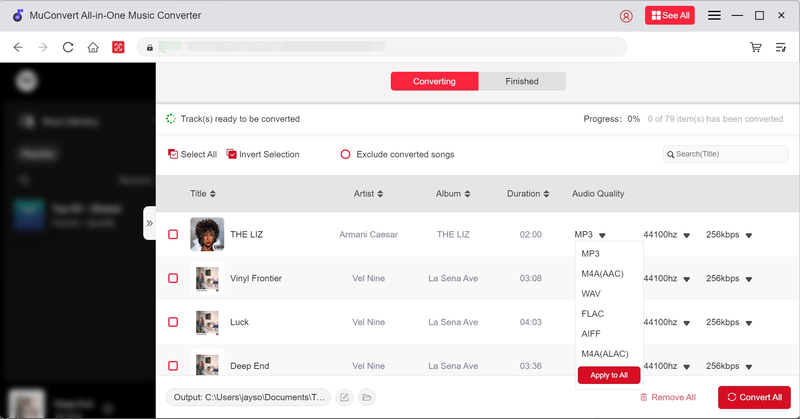
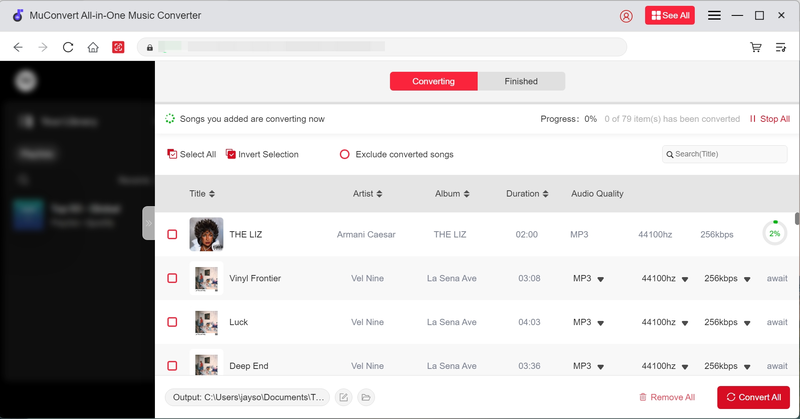
Now, go to the “Converting” window and choose M4A as the output format. At the same time, you can adjust the audio quality by setting both “SampleRate” and “Bitrate” as you want.
Step 4. Download SoundCloud to M4A
Finally, just press the “Convert All” button and MuConvert SoundCloud Music Converter will batch download SoundCloud songs for you. Wait patiently and you will get the downloaded M4A songs within a short time!
Pros:
- High-quality output (320kbps M4A supported)
- Supports downloading SoundCloud playlists, albums, and single songs
- No ads or pop-ups like some free online converters
- Batch downloading is supported
Cons:
- Requires software installation
- Free trial has limits, full version is paid
Way 2. Download SoundCloud to M4A Online for Free
For users who prefer a fast and free way without installing extra software at all, online converters are often the alternative choice you should not miss. Such an online option only makes you paste a SoundCloud URL and you will instantly get a converted M4A file to download. More importantly, as they work directly in your browser, so no matter you are using a mobile phone or a computer, you can use such an online SoundCloud downloader to download SoundCloud to M4A easily.
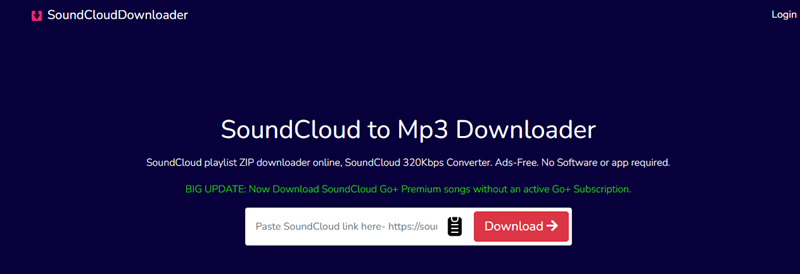
As there are many online downloaders that can work to help, here recommend the one that provides fast speed and good output quality to help, which is ScloudPlaylistDownloader. Now, check the tutorial to learn how to use it.
Step 1. Go to SoundCloud first, then open the track or playlist you want and copy its URL from the browser address bar.
Step 2. Visit ScloudPlaylistDownloader in a new window. On the homepage of the downloader, directly paste the copied link into the search box.
Step 3. From the available download options, select M4A as the output option and convert it immediately.
Step 4. When the conversion finishes, you will get the “Download” option. By pressing it and the converted M4A file can be downloaded offline immediately.
Pros:
- No software installation required
- Free and quick
- Works on any device (PC, Mac, mobile)
Cons:
- Quality may be lower than professional tools
- Some websites contain ads or limitations
- Not all converters support SoundCloud playlists download
Way 3. Record SoundCloud to M4A with Audio Recorder
Another effective way to save SoundCloud songs in M4A format is to record SoundCloud audio in real time using professional audio recorders. FonePaw Screen Recorder provides an easy-to-use recording function, equipped with advanced features to capture system audio in an efficient way.
For example, you can use the scheduled recording mode to record SoundCloud songs without wasting much of your time. The output quality will also be kept at good condition, so the offline playback quality can also be ensured.
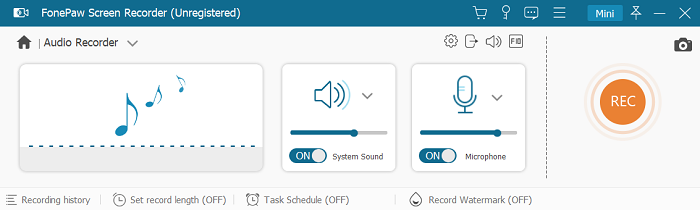
Now, also check the guide below and use FonePaw Screen Recorder to record SoundCloud to M4A immediately.
Step 1. Install FonePaw Screen Recorder and open the software. Select “Audio Recorder” and customize the recording settings in advance.
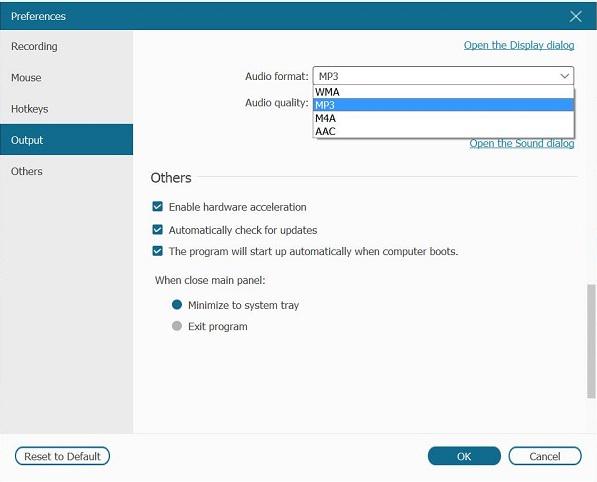
To select M4A as the output format, tap the “Settings” button to go to “Preferences” and select it in the “Output” section.
Step 2. Prepare the SoundCloud song. When you start playing it, also tap the “REC” button in FonePaw Screen Recorder to record the audio.
Step 3. Once the recording is over, save the recorded file, and you can get an M4A copy on your computer.
Pros:
- Works with any SoundCloud resources
- Keeps original quality if settings are configured properly
- Scheduled recording is provided to make the process to be more automatic
- Easy to use
Cons:
- Real-time recording takes as long as the length of the song
- Requires extra steps compared to direct downloaders
- The output quality is lossy
Comparison of the 3 Methods to Save SoundCloud to M4A
In the following table, you can check some key points of the 3 ways to download SoundCloud to M4A and select the best method to process the conversion easily.
| Best for | Output Format | Recording Efficiency | Output Quality | Easy to Use | |
|---|---|---|---|---|---|
| MuConvert SoundCloud Music Converter | Professional download without quality loss | M4A, MP3, WAV, FLAC | High | Lossless | Yes |
| Online Tools | Save SoundCloud in M4A on all devices | M4A, MP3 | High | Compressed | Yes |
| Audio Recorders | Flexibly capture parts of SoundCloud songs | M4A, MP3, AAC, WMA | Low | Compressed | Yes |
In Conclusion
Downloading SoundCloud to M4A lets you have higher flexibility to enjoy and use high-quality music offline. For example, you can keep the music downloads on all devices to play whenever you want, even without going to the SoundCloud platform or with a network connection at all!
Among all the 3 ways, MuConvert SoundCloud Music Converter ensures high output quality and also the best efficiency to download SoundCloud to M4A. Now, you can freely install it and have a try!
100% Secure 100% SecureGet Your Favorite Streaming Music in Lossless MP3 Format
Feel free to use MuConvert to batch-download music from 6 music streaming platforms. Save vast music collections in a minute!
More Posts
How to Download SoundCloud to MP3 [2026 Best Choices] Read More » 3 Ways to Download SoundCloud to M4A (Full Guide) Read More » 5 Best Free SoundCloud Playlist Downloaders of 2026 Read More » 5 Best SoundCloud to WAV Downloaders in 2025 Read More » Top 4 Ways to Download SoundCloud to FLAC (2025 Updated) Read More »